STEP-BY-STEP GUIDE
Select an option below to view the step-by-step instructions.


Device Settings
NEED HELP GETTING STARTED?
Select your device below to view the step-by-step guide.
 iPhone
View Guide >
 Android
View Guide >
iPhone
Enable Location Access
For the best experience, please use the latest version of Safari on your iPhone
STEP 1
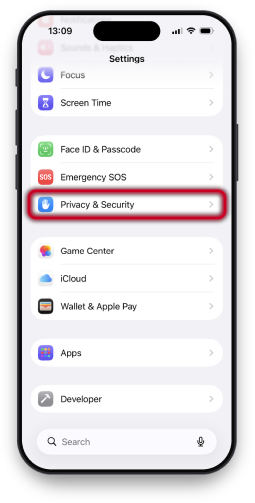
Open Settings
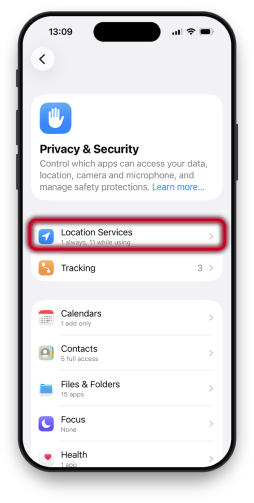
Open the Settings app and tap Privacy & Security.
STEP 2
Tap Location Services
Tap Location Services and make sure it is turned on.
STEP 3
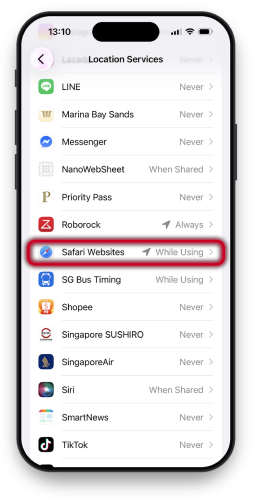
Tap Safari Websites
Scroll down the list and tap Safari Websites.
STEP 4
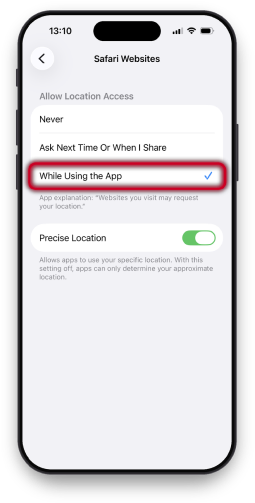
Select While Using The App
Select While Using the App and make sure Precise Location is turned on.
IMPORTANT
After changing the settings, return to Safari and reload the page.
Android

Enable Location Access
For the best experience, please use the latest version of Google Chrome on your Android device.
STEP 1
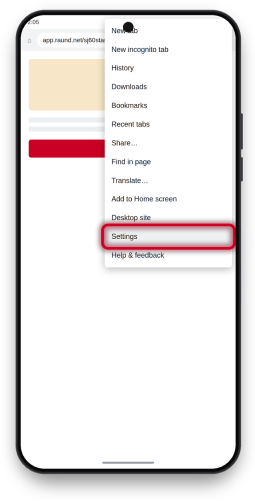
Open the Chrome Menu
In Chrome, tap the ⋮ menu in the top-right corner, then tap Settings.
STEP 2
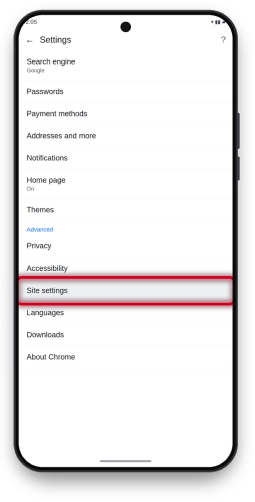
Tap Site Settings
Scroll down and tap Site settings.
STEP 3
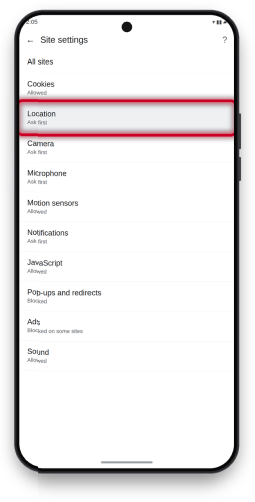
Tap Location
Tap Location in the list.
STEP 4
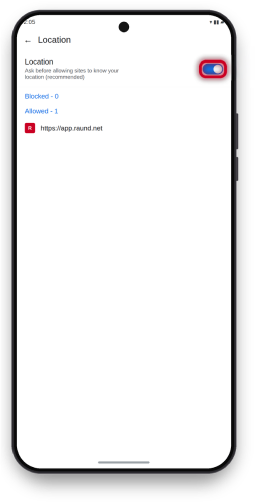
Turn On Location
Turn on the Location toggle to allow websites to request your location.
IMPORTANT
After changing the settings, return to Chrome and reload the page.
Also, make sure Location is turned on in your device settings.
Sign Up
HOW TO SIGN UP
No app download is required.
You can sign up in advance or at a participating store.
 In Advance
View Guide >
 In-Store
View Guide >
In Advance
STEP 1
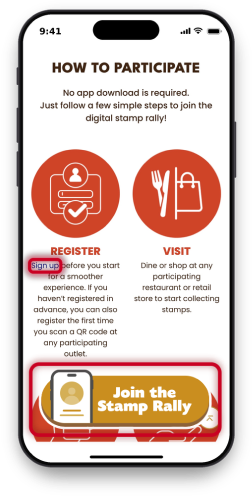
Tap the Sign-Up Link or Button
On the campaign site, tap Sign up or Join the Stamp Rally to open the stamp rally home screen.
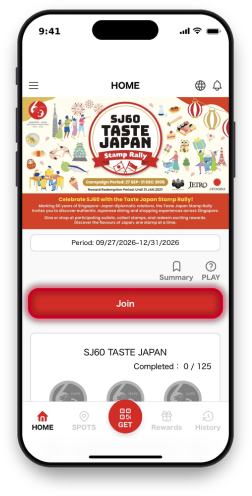
STEP 2
Tap Join to Register
On the home screen, tap Join to log in or sign up.
In-Store
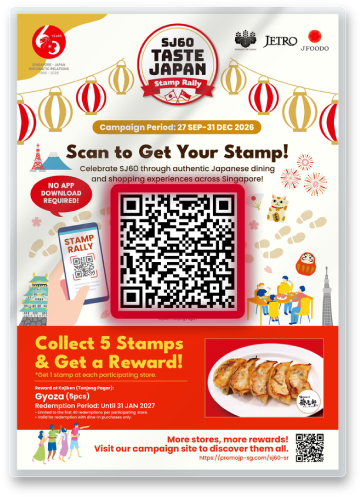
STEP 1
Scan the QR Code on the POP
Scan the large QR code in the centre of the POP.
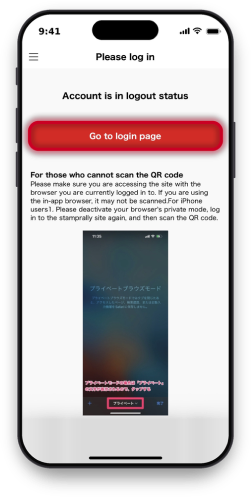
STEP 2
Go To the Login Page
When the Please log in screen appears, tap Go to login page.
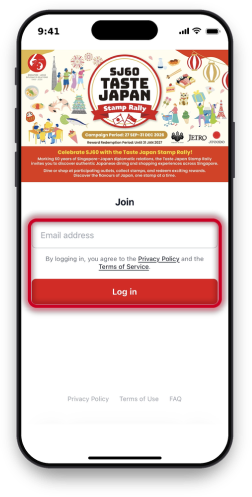
STEP 3
Log In with Email
Enter your email address and tap Log in.
Collect Stamps
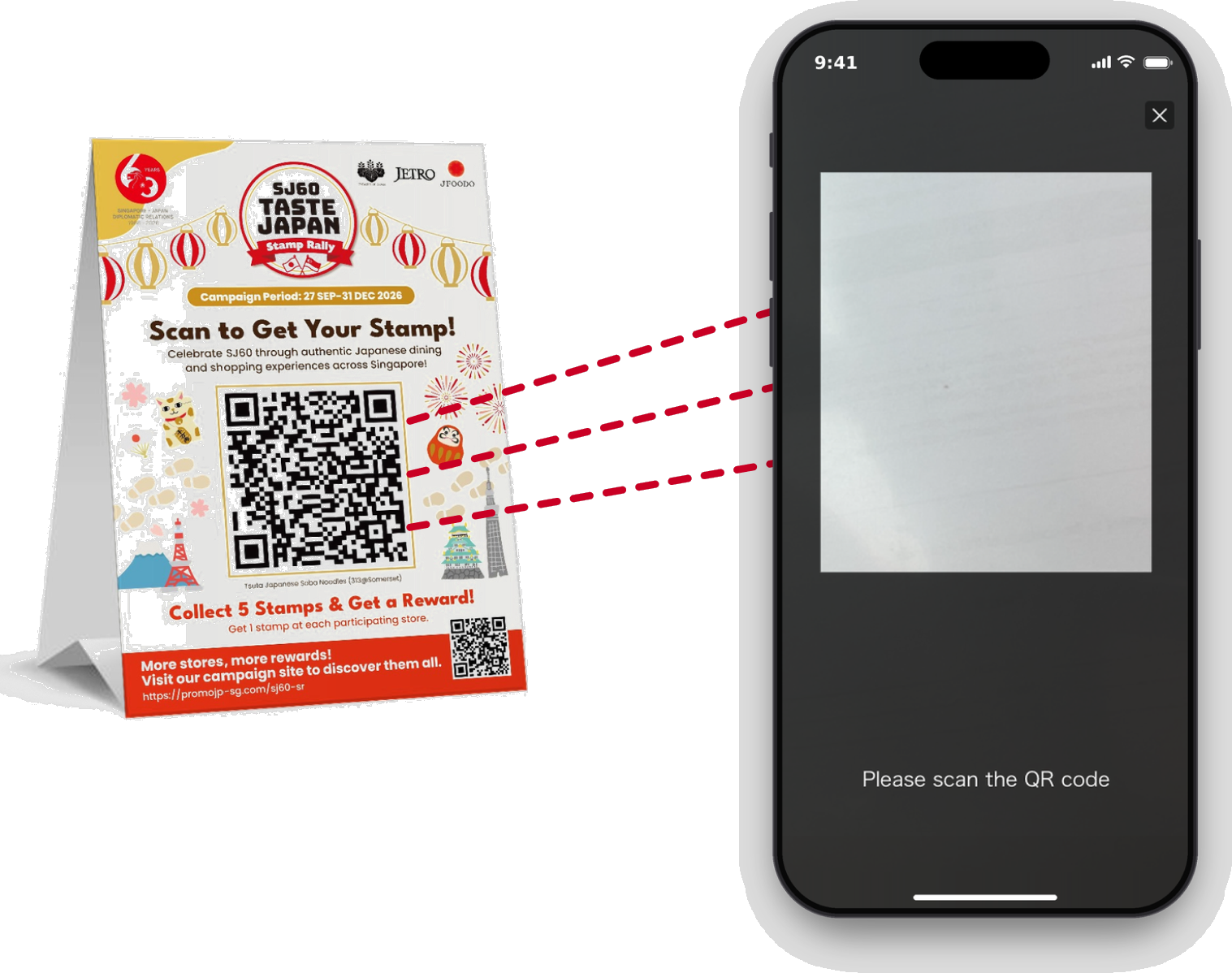
HOW TO GET A STAMP
Dine or shop at any participating restaurant or retail store, then scan the QR code on the POP with your phone to collect a stamp.
*Collect 1 stamp per participating store.
Redeem Rewards
HOW TO REDEEM YOUR REWARDS
Collect 5 Stamps and Redeem Exciting Rewards!
<Reward Redemption Period: Until 31 JAN 2027>
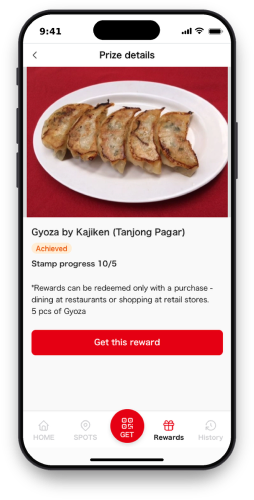
STEP 1
Open Your Chosen Reward
Tap Get this reward to view your chosen reward.
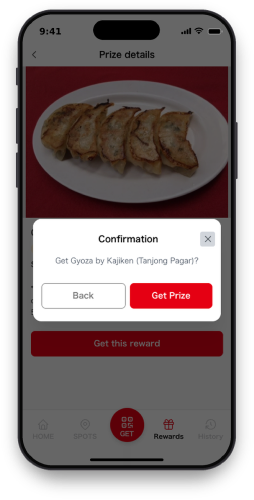
STEP 2
Confirm Your Reward
Tap Get Prize to confirm your reward.
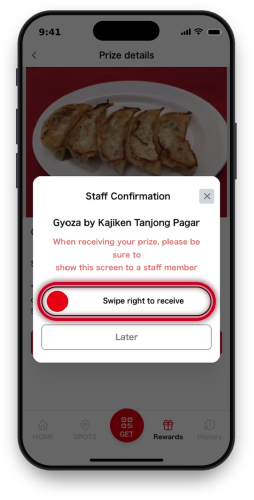
STEP 3
Complete Your Redemption
Swipe right in front of the staff to complete your redemption.
IMPORTANT
Please swipe right on the Staff Confirmation screen in front of the staff to complete your reward redemption.
Your reward redemption will only be confirmed once you have completed the swipe.